Industry: Automotive
World largest Oil & Gas Organisation
About Project
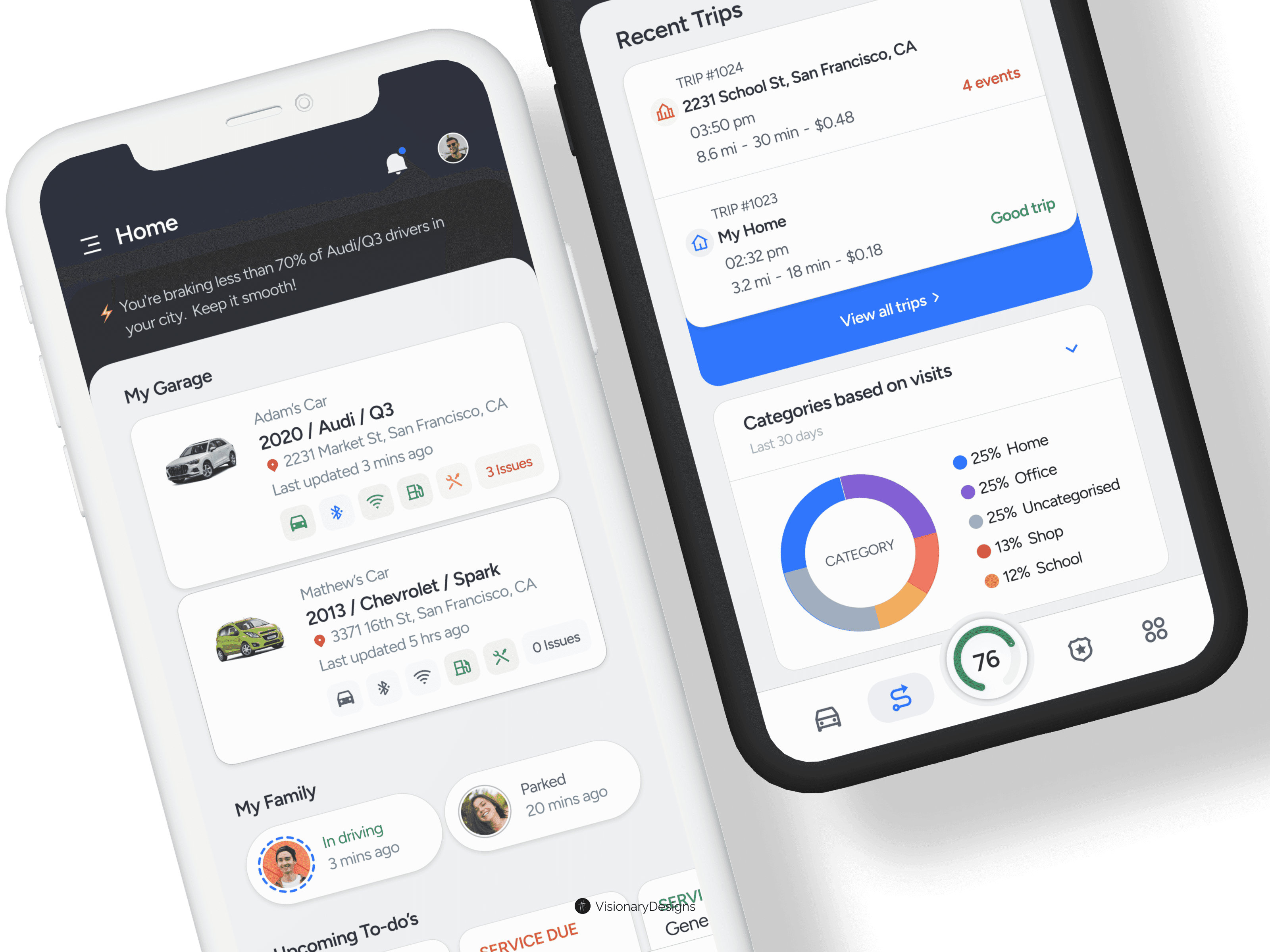
GearUp (name changed due to NDA) is a revolutionary mobile application designed to empower families to save money and get the most out of their vehicles. It seamlessly integrates with various external services to create a one-stop solution for car management. GearUp promotes responsible driving habits and helps families make data-driven decisions to optimize car health and minimize expenses.
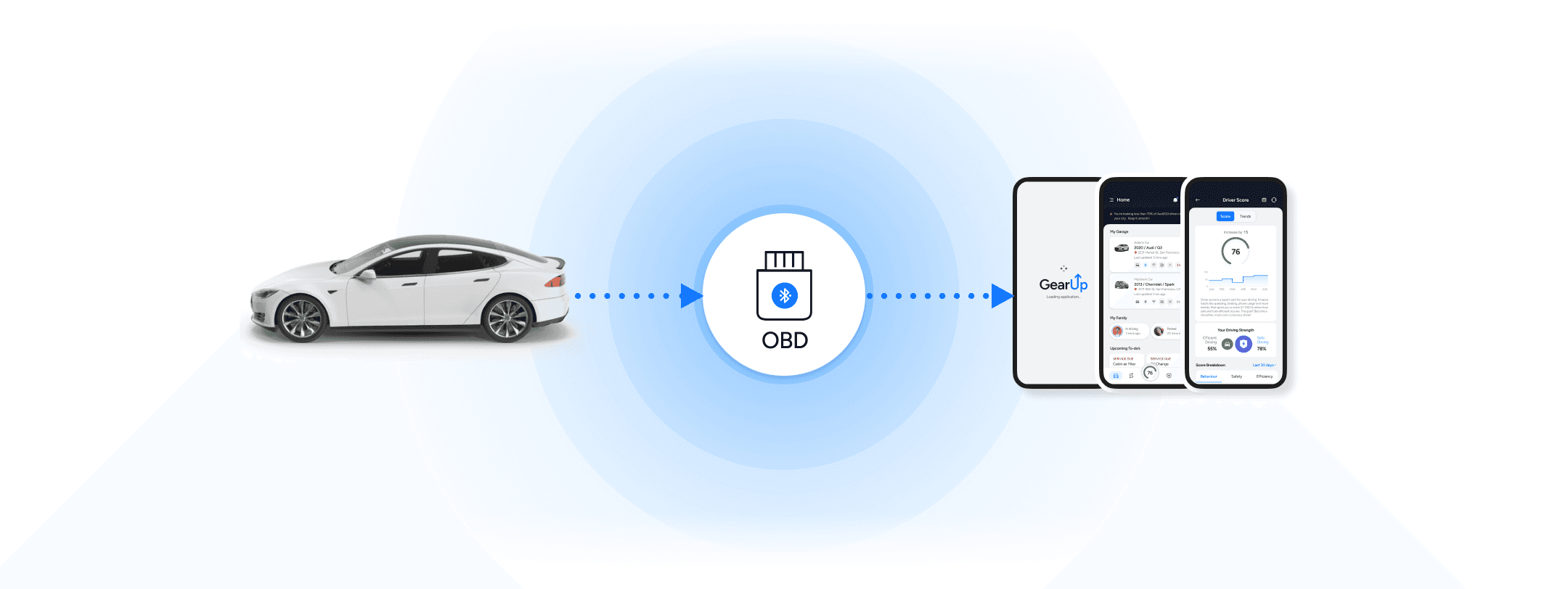
Vehicle - Bluetooth OBD - Smartphone
My Role
UX Research, Designed UI/UX
Prototyped and developed the product from scratch
Collaborated with stakeholders and business teams
Created Branding & Design system
Led design, frontend and mobile app development
Works done
End consumer mobile application
Admin & Analytical web portal for Management team
Simulators apps for internal testing purpose
Business needs / Problem statement
Ensuring family safety on the road, particularly for teenagers
Managing and reducing overall car expenses
Optimizing fuel efficiency
Keeping up with regular car maintenance
Incorporating various services into a unified solution
Car Expense
Fuel efficiency
Unaware
Unsure
Driving Behavior
Safety
Performance
Maintenance
Diagnostics
Teenage Learners
Complexity
Limited Experience
Targeted Users/Personas
Based on the business need and problems faced by user we came up with 3 main personas
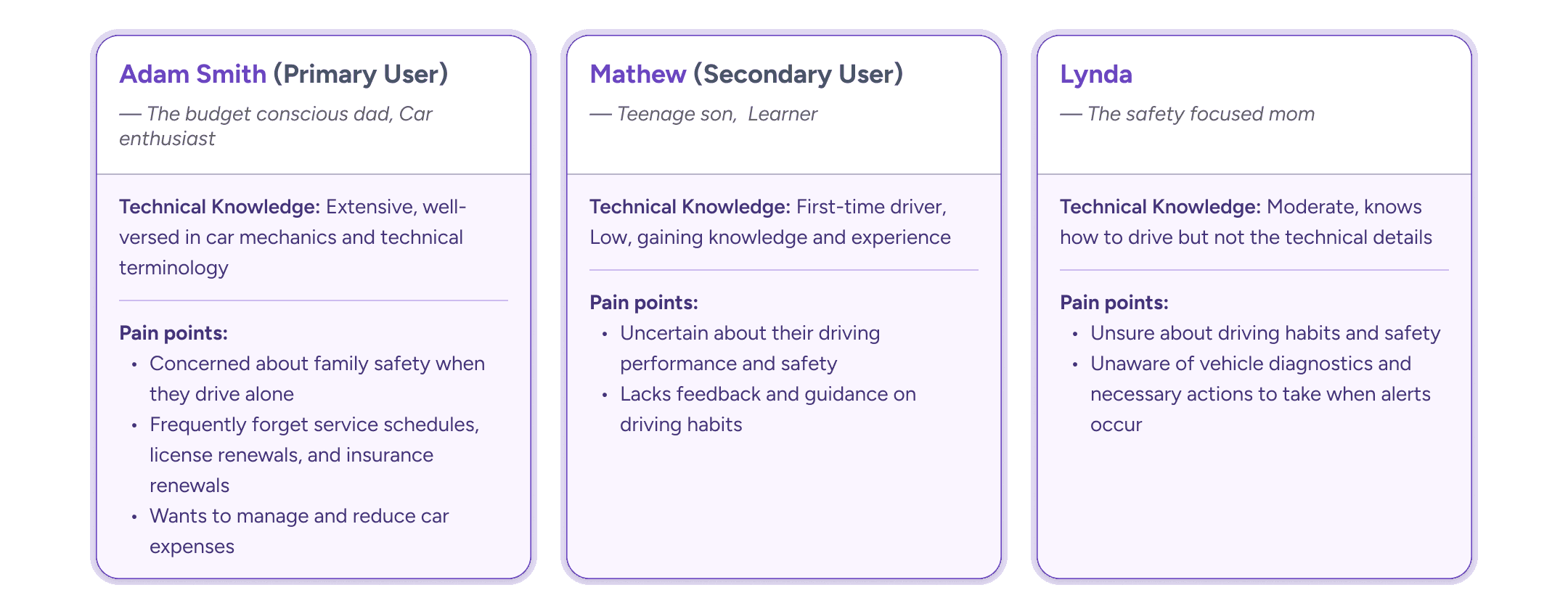
User personas
Based on the insights from user research, business needs understanding of similar apps, We derived the solution around these main goals:
Goal 1:
Minimize stress and improve ease of monitoring family driving
Effortless family updates, Tune the preferences for individual member
Goal 2:
Engage teenage drivers with gamification
Set achievable goals, Trip feedbacks, Driver score, Milestones, Badges and Interactive Learning Center all through gamification
Goal 3:
Meaningful insights from trip data
Automated Trip Classification: Automatically categorize trips based on purpose (work, school) and location
GOAL 1
Minimize stress and improve ease of monitoring family driving
Effortless family updates, Tune the preferences for individual member
How might we provide users with timely and effortless updates on their family's driving to minimize stress and improve ease of monitoring?
Home Screen - Dashboard
A central hub for the connected driving experience – that's the philosophy behind the home screen dashboard. This screen prioritizes clean, intuitive design and user-centric features to keep you informed and in control at a glance. App allows customization of the dashboard cards (arranging or prioritizing features as you can) for the customization section.
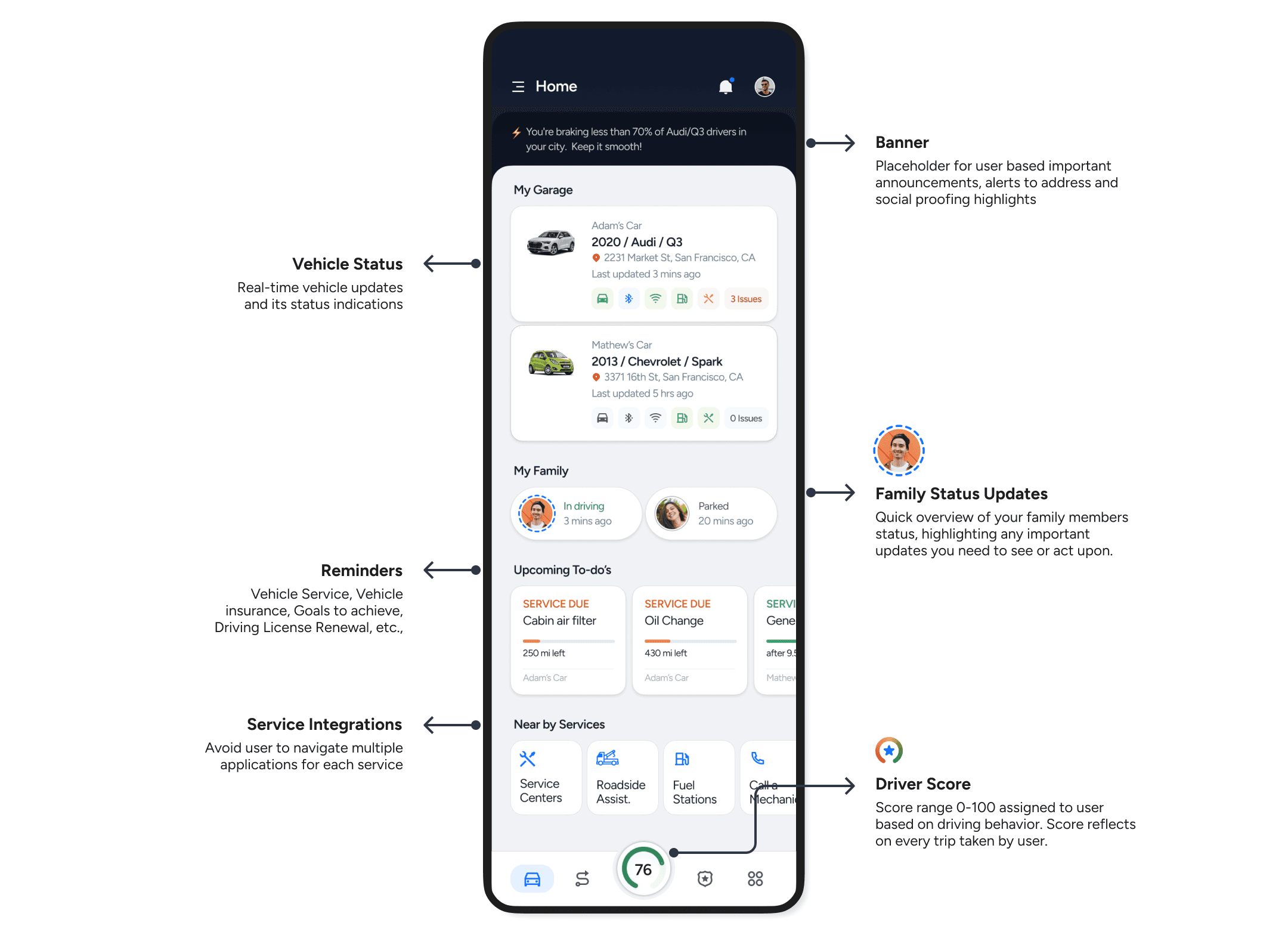
Home screen - All in one dashboard
Stay Informed: Family updates with “Status Ring”
Status Ring: a colored status ring around the user's avatar quickly indicates new updates. This intuitive visual cue reduces the need for frequent app checks and enhances quick awareness.
Status Viewer: Imagine a screen that can display a range of messages. It could show a trip summary with driving insights and recommended improvements, or a maintenance reminder prompting users to schedule an oil change. This is the concept behind the Status Viewer: a tool for delivering actionable information to users about their family and vehicle
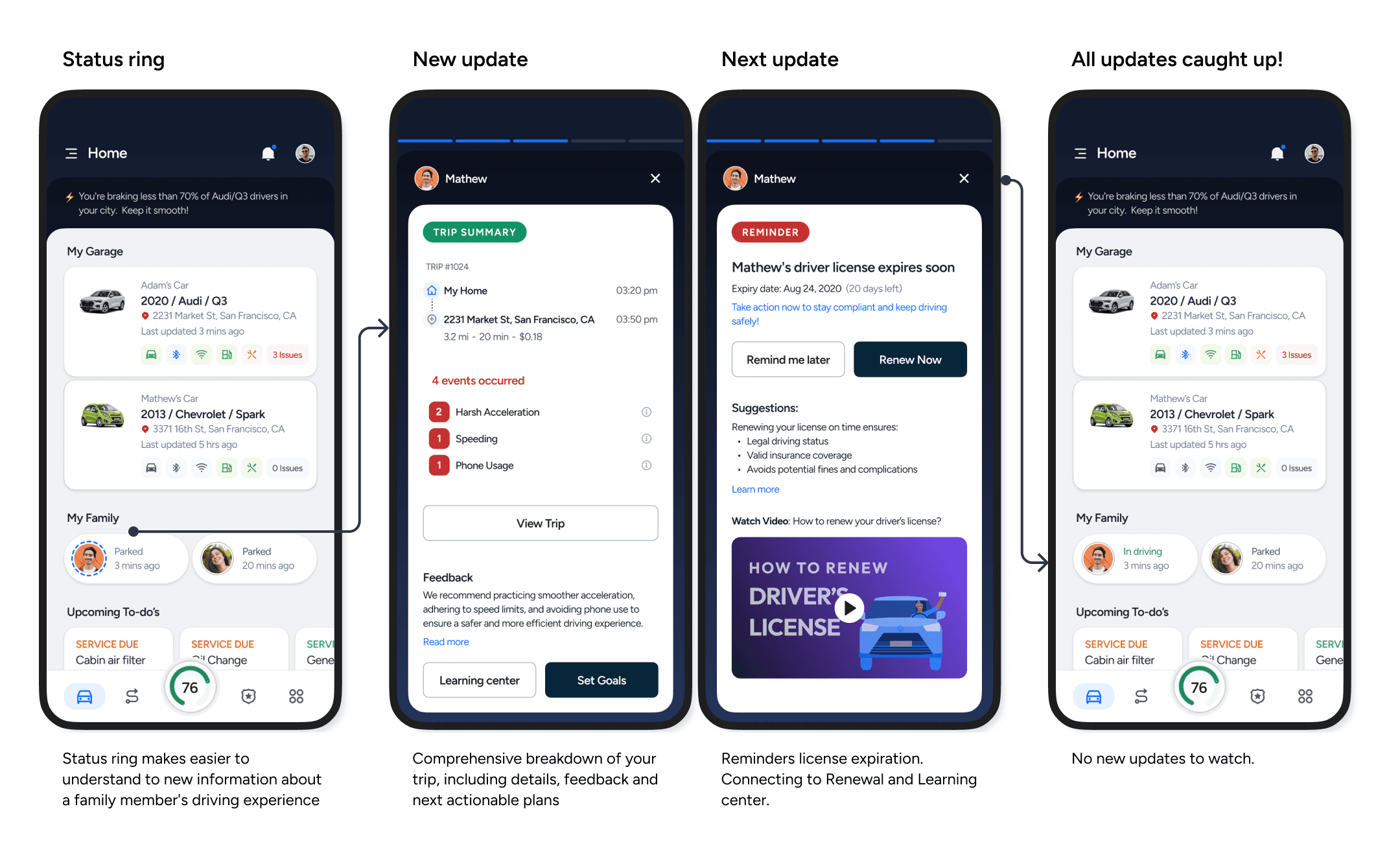
Status Ring: Family updates
Configure notification alerts to family members
Tailor notifications to match the driving habits and needs of each family member. Include a range of notifications, from safe arrivals and trip summaries to vehicle diagnostics and maintenance reminders.
Allowing users to configure notifications according to their preferences, making the app more user-friendly and relevant to individual needs.
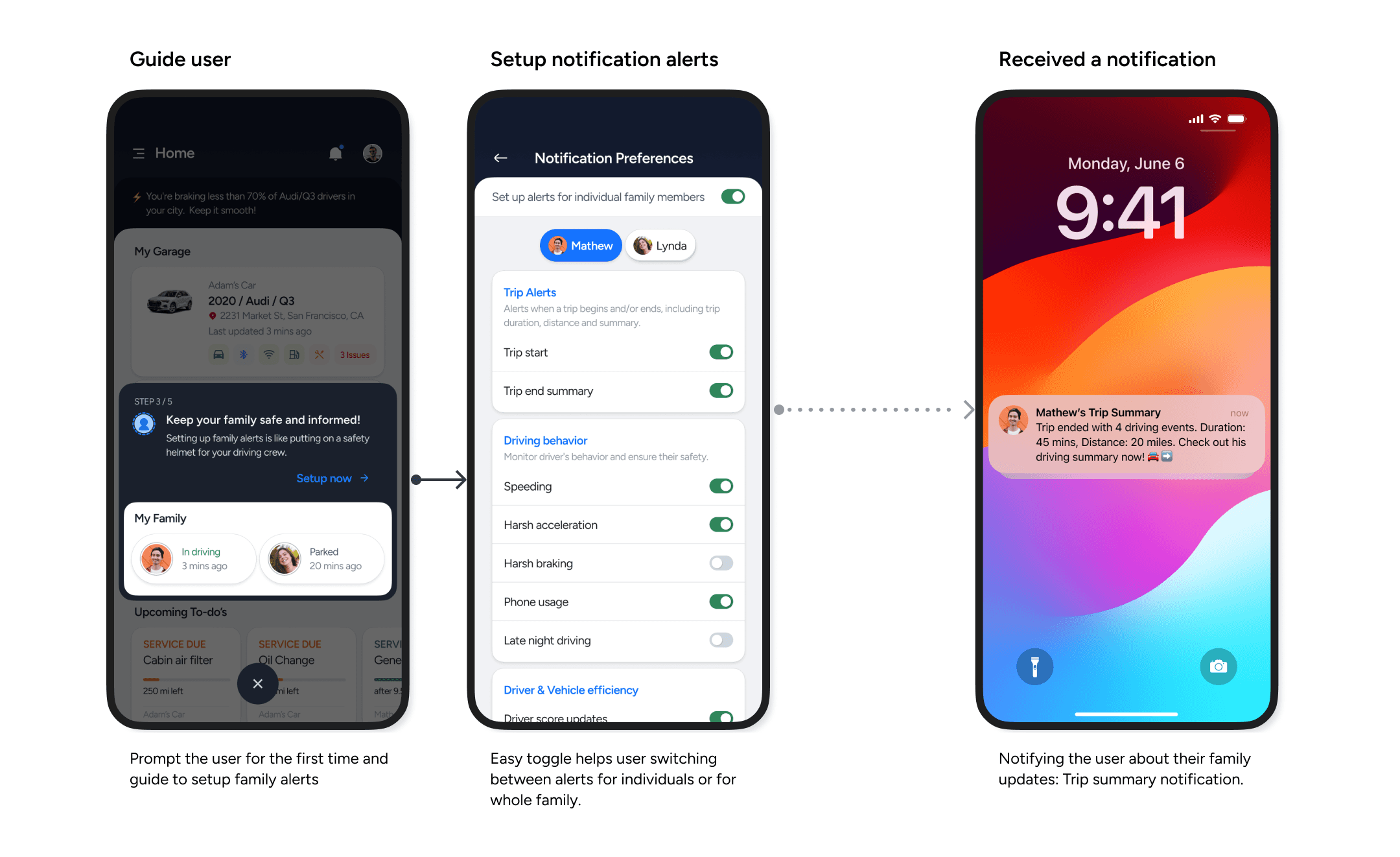
Setup individual notification alerts
GOAL 2
Engage teenage drivers with gamification
Set achievable goals, Trip feedbacks, Driver score, Milestones, Badges and Interactive Learning Center all through gamification
How might we engage teenage drivers in learning safe driving habits through gamified features and rewards?
Setting up an achievable goal
This screen offers a user-friendly interface for teenage learners to set and customize achievable goals. Goal suggestions help users create goals quickly, effortlessly and meaningful. Suggestions are derived based on user driving patterns, making them relevant and personalized.
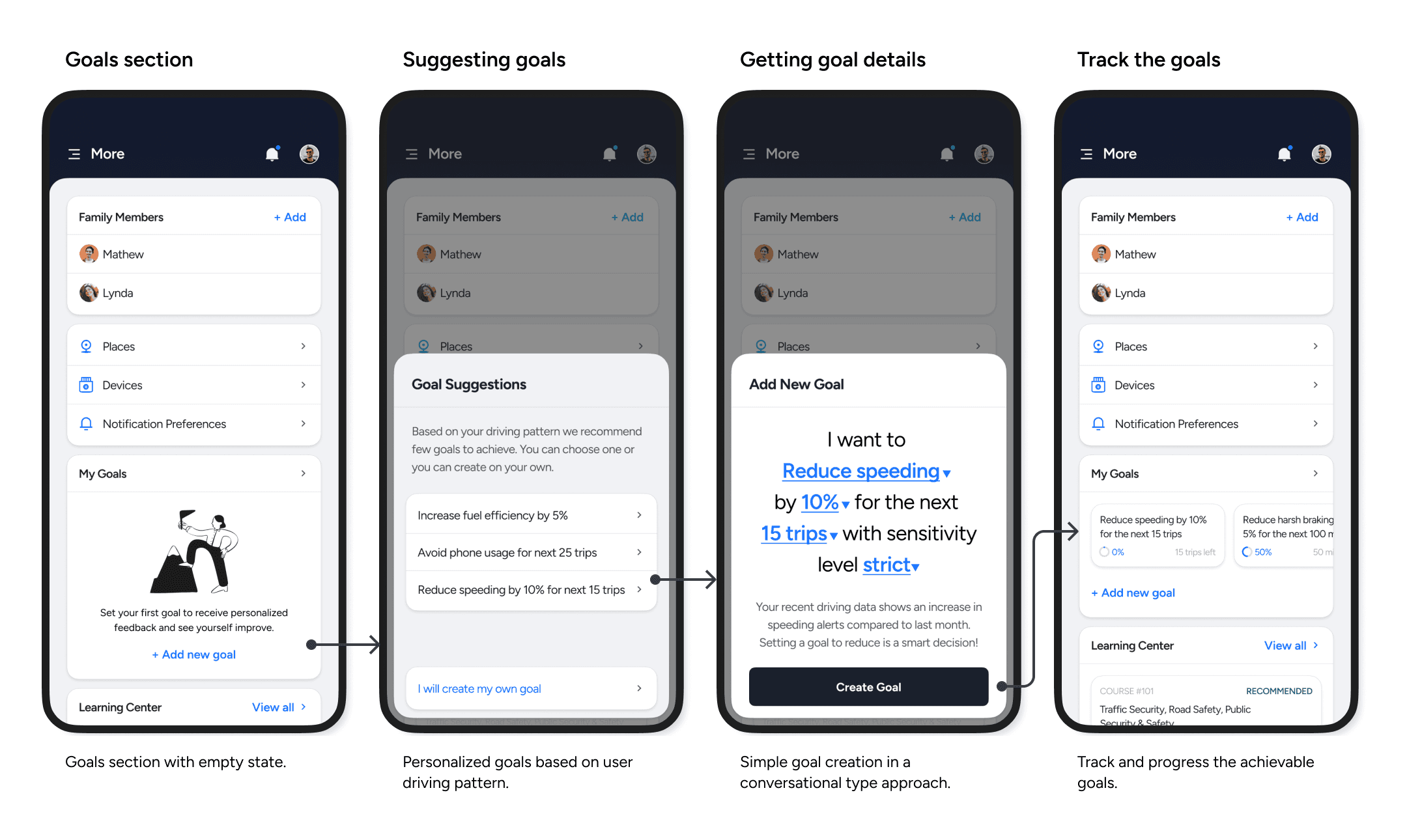
Setting up a Goal
The new goal creation process uses a simple, one-page conversational format instead of traditional forms. This streamlined approach encourages user engagement and prompts self-reflection on driving habits. As a result, users gain a clearer understanding of their goals before creating them.
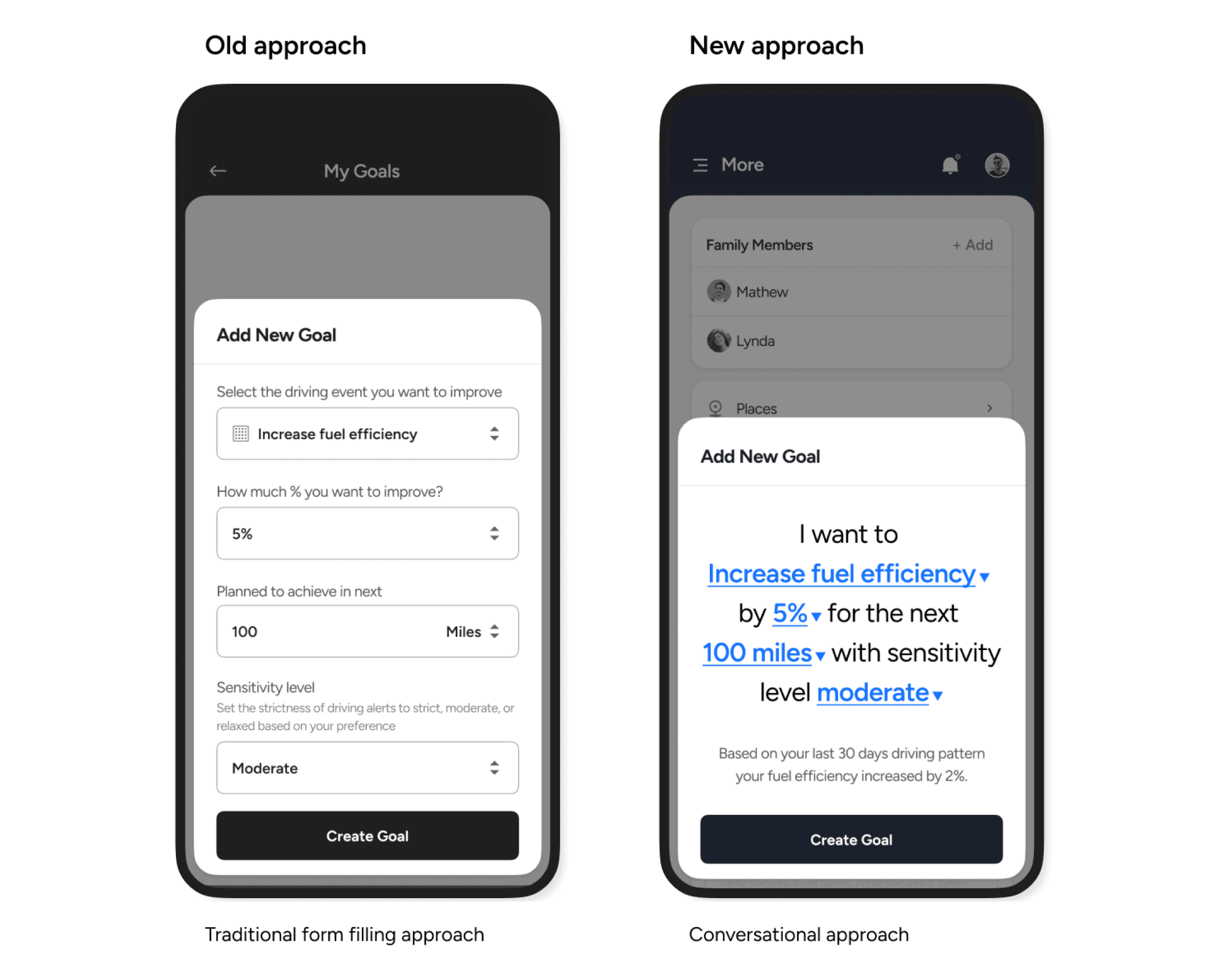
UX approach
Personalized Driving Safety Courses
The Learning Center analyzes your driving patterns to recommend courses that can help you become a safer driver. Course recommendations cover various aspects of road safety, including traffic rules and regulations, eco-friendly driving techniques, and vehicle maintenance.
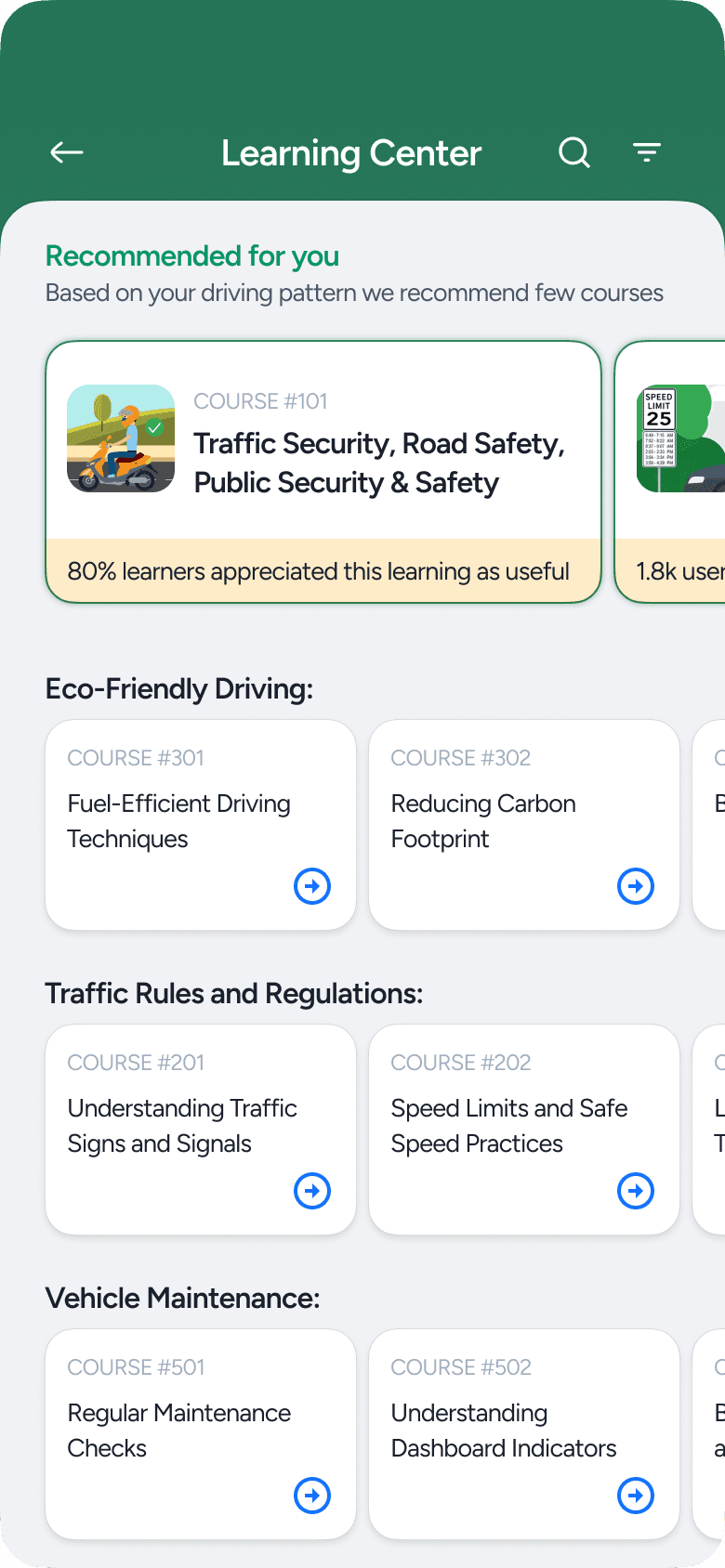
Personalized driving safety courses
A Gamified Experience
In short, Drive better, Earn rewards. This feature uses gamification elements to make learning safe driving habits more engaging and rewarding.
Beat your personal best driver score
Complete milestone progressively to earn badges and rewards. Real-world rewards: eg. If you get 25 Fuel Saver batch exciting rewards like fuel coupons, motivating you to drive smarter
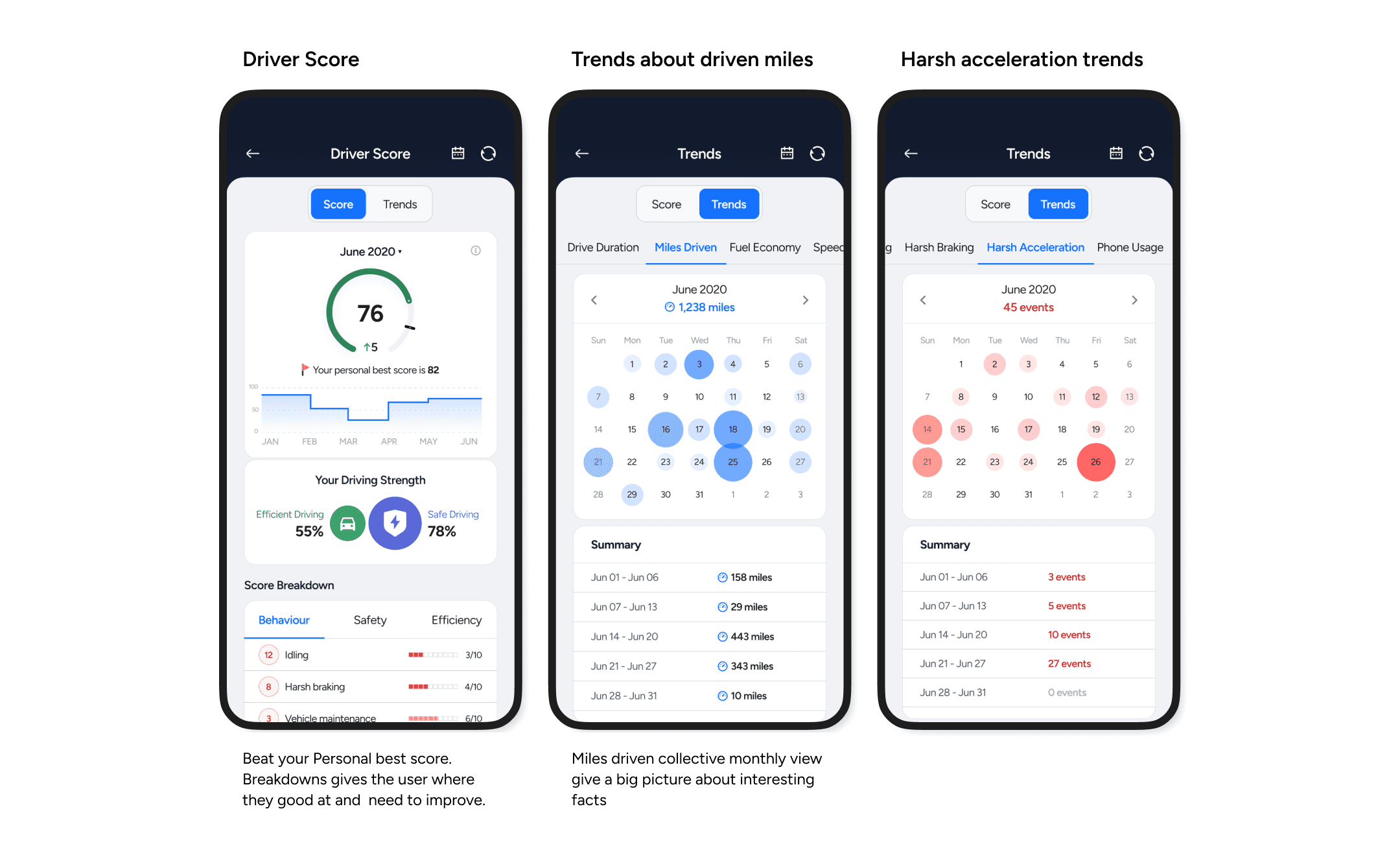
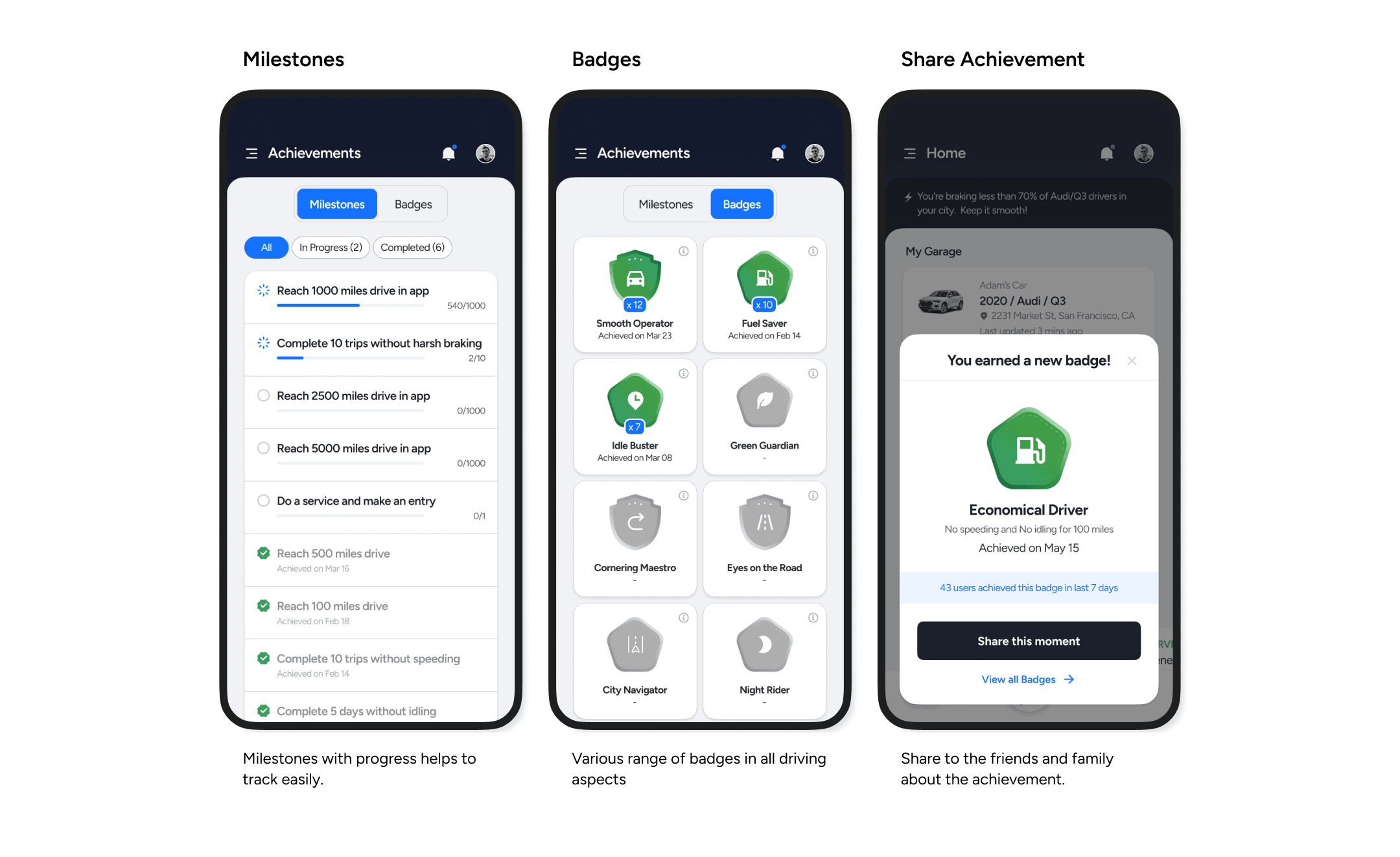
Gamification
GOAL 3
Meaningful insights from trip data
Automated trip classification automatically categorize trips based on purpose (work, school) and location.
How might we categorize and contextualize trip data to provide meaningful insights and recommendations to users?
Trips, Unlock insights & Improve over time
Trip Insights: Gain a deeper understanding of your driving habits.
Remembered Places: Simply name a location once, and the system will categorize it for future trips, saving you time and effort.
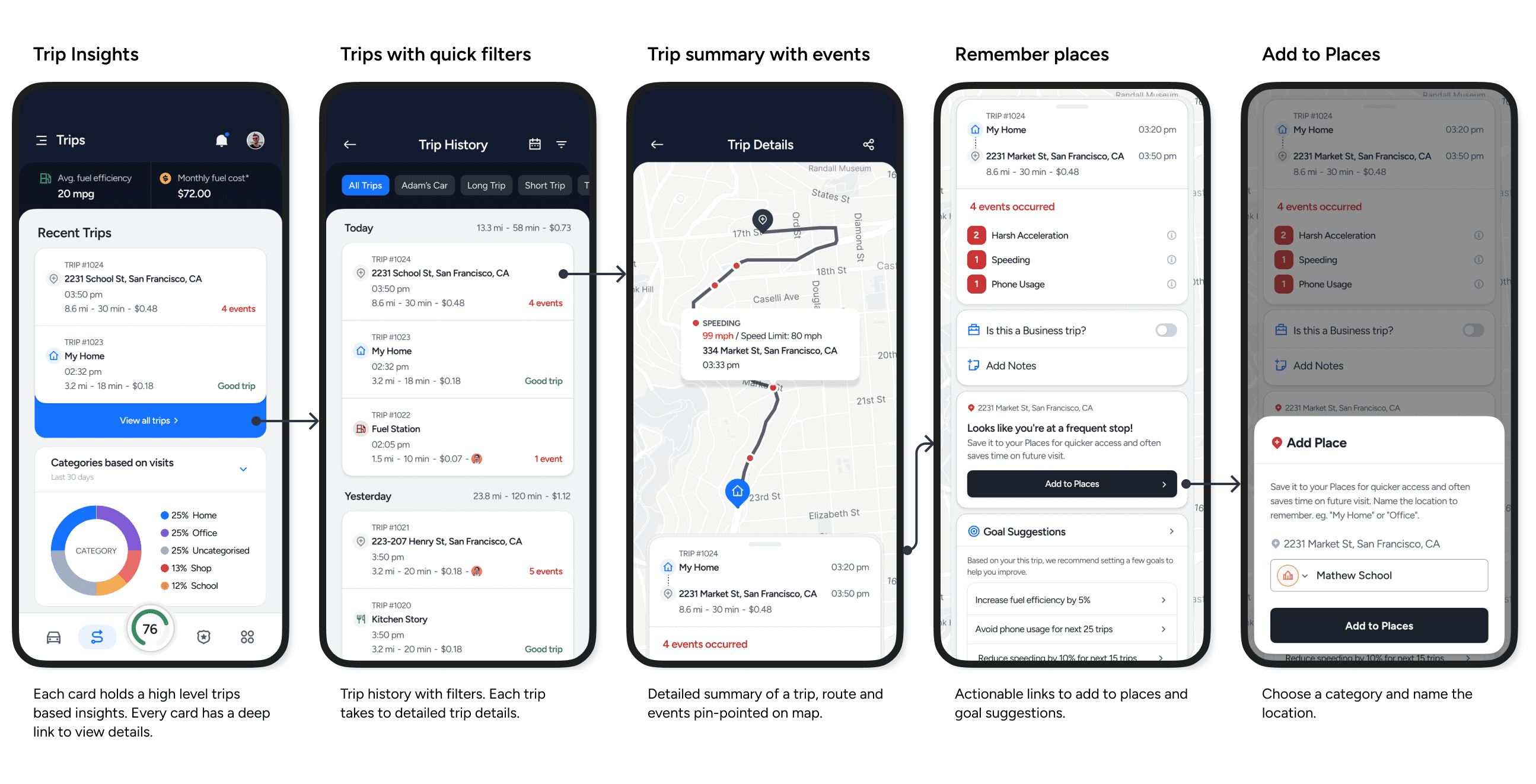
Trips Insights - Single trip - Add to Place
Mockups (Tryouts)
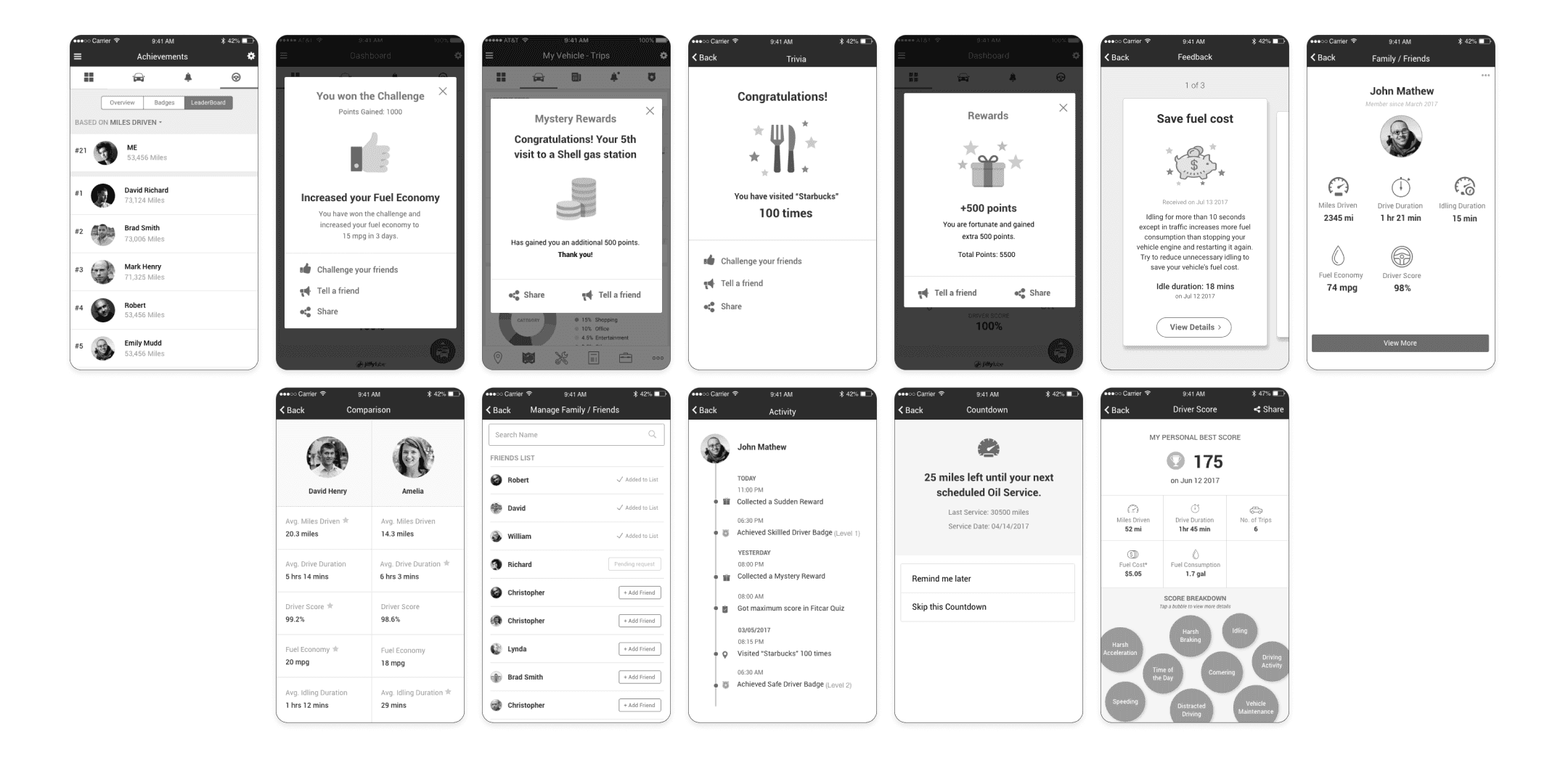
Old Mockups
Disclaimer: All creative works showcased in this portfolio, including but not limited to text, images, designs, and ideas are protected by copyright laws and international intellectual property treaties. Unauthorised copying, sharing, reproduction, distribution, or any other form of use of these materials without explicit written permission is strictly prohibited and may result in legal action.
Other Projects